Charged Reviews · Quick reference
Magnum Energy MS4024PAE Pure Sine Inverter/Charger
- Brand
- Magnum Energy
- Model
- MS4024PAE
- Category
- Inverters
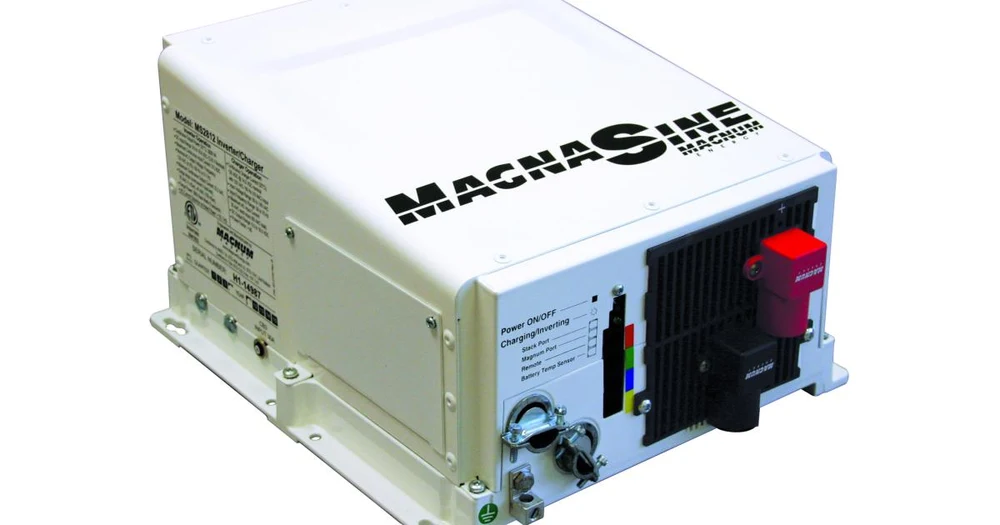
 Charged Reviews
chargedreviews.com/inverters/magnum-energy-ms4024pae
AC output
Battery
- Battery voltage
- 24 V DC [1]
- Maximum discharge current
- ?
- Battery-only output
- ?
- Maximum grid charging
- ?
- Compatible batteries / BMS
- ?
PV input
- PV array limit (connected)
- ?
- PV input limit (converted)
- ?
- Maximum PV voltage (Voc)
- ?
- MPPT voltage range
- ?
- MPPT trackers
- ?
- String inputs per MPPT
- ?
- PV current per MPPT
- ?
- PV short-circuit current
- ?
- PV startup voltage
- ?
Efficiency and modes
- CEC weighted efficiency
- ?
- Battery conversion efficiency
- ?
- Grid / off-grid modes
- Not a grid-interactive (also known as utility-interactive) inverter and does not have the capability to export (or sell) power back into the utility grid [2]
- Generator input
- It can be connected to the utility grid (or to a generator) to allow the inverter batteries to be charged, and to power inverter loads while connected [2]
- Transfer time
- 16 ms [2]
- Idle consumption
- ?
- Parallel units
- 4 [2]
Communication and environment
Mechanical
Installation (from the manual)
Torque
Conductors
Protection
Clearances and orientation
- Installation clearances
- Allow at the minimum an airspace clearance of 6” (15.2 cm) at the intake and exhaust vents, and 3” (7.6 cm) everywhere else to provide adequate ventilation. [2]
- Mounting orientation
- above or under a horizontal surface (shelf or table); on a vertical surface (wall) with the DC terminals toward the bottom, the MP-HOOD (inverter hood) installed over the exhaust vents (top), and either the ME-CB or MPX-CB (Conduit box), the MMP Series (single inverter enclosure), or the MP Series (multiple inverter enclosure) attached to the inverter’s DC end (bottom). [2]
Grounding
- Grounding and neutral-ground bonding
- The inverter system grounding is the responsibility of the installer in accordance with the NEC. [2]
Communication
- Communication ports
- Stack/Accessories Port (red label): a RJ45 port that connects to the ME-RTR router; Network Port (green label): a RJ11 port that accepts optional network-capable accessories; Remote Port (blue label): a RJ11 port that allows optional remote control displays to be connected [2]